Ship Master
One Windows program for the bridge computer: the daily noon report, a live AIS traffic desk with collision warnings, and the daily gyro error book — filled from the ship’s own instruments, not from typing GPS by hand.
Screenshots
Real program windows — not stock mockups.
Who buys this
Captains and deck officers who must send a noon report every day, watch traffic around the ship, and keep a gyro error record — and want that work finished faster on a normal Windows PC, even when the satellite link is down.
What “lifetime” means
Pay once ($10). The license stays on one computer. After you activate, the program keeps working without calling home every watch. If that PC dies or you move to a new machine, contact support for a transfer — it is not an unlimited multi-PC seat.
What this is not
- Not a type-approved ECDIS or official chart system.
- Not a cloud fleet portal — it runs on your ship PC first.
- Not a substitute for your approved radar / ECDIS for navigation decisions.
What you get
Three jobs in one program. Connect once to the ship’s GPS / AIS feed; every part uses the same live position and traffic picture.
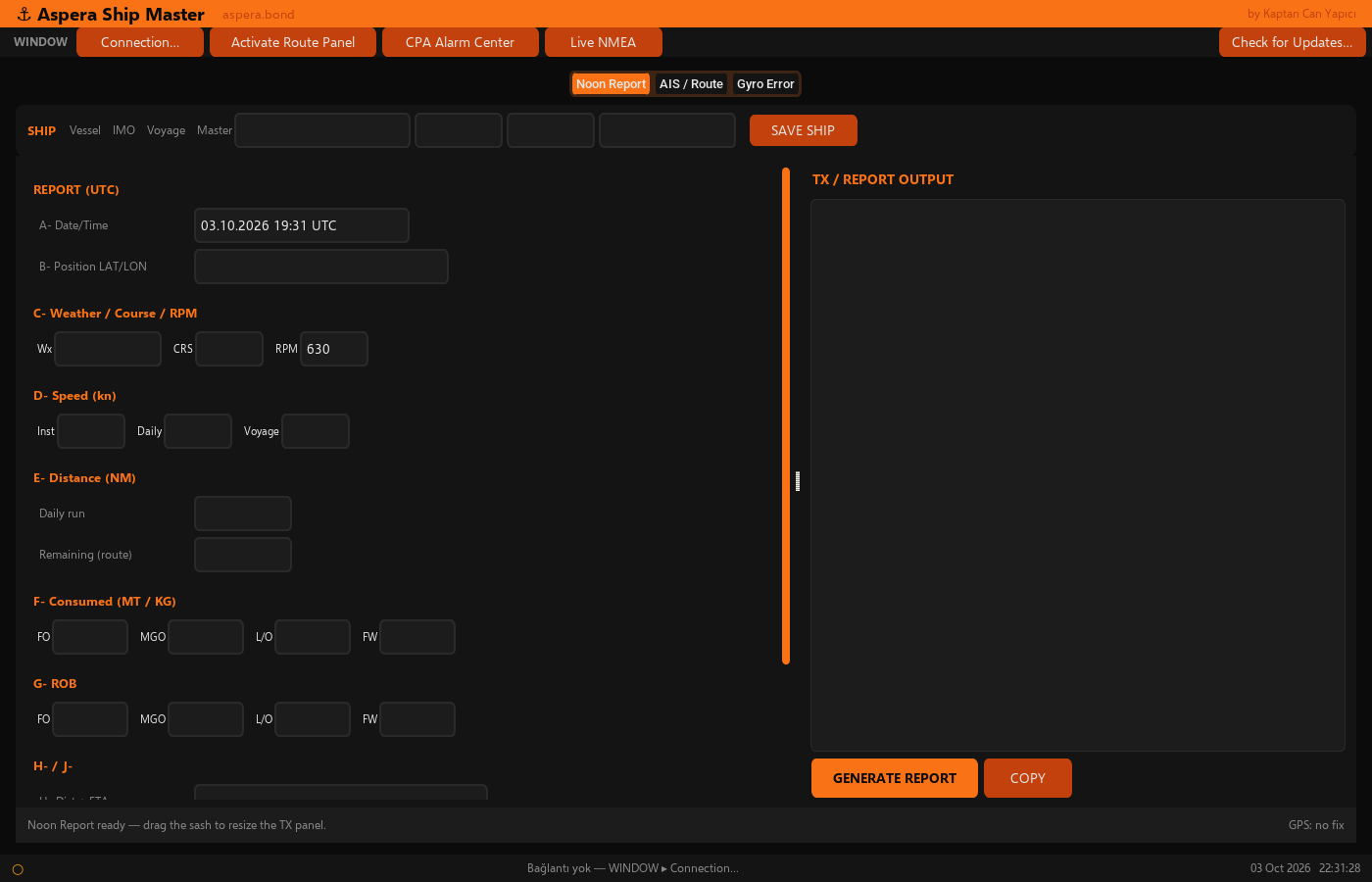
1. Noon report — what it is, and how it works
A noon report is the daily position and economy message the ship sends (company / charterer / operations): where you are, how far you ran, speed, fuel and water used, remaining distance, ETA, and remarks.
Ship Master does not invent the report in the background with no officer. It fills the navigation fields automatically from the ship’s live GPS (position, course, speed) and from the GPS history it kept during the day. You still enter bunker / water figures and remarks. When the form is ready, you build the text and paste it into email or Inmarsat — one copy action.
- Auto from instruments: date/time, LAT/LON, course, speed, daily run, voyage averages when the log has the fixes.
- You type: weather, RPM, fuel / luboil / fresh water used and remaining, free remarks.
- Report window: usually the previous 08:00 UTC → today’s 08:00 UTC day. Other report hours (for example a different company noon) can be used when your routine needs it — not locked to one magic button forever.
- Route for remaining miles / ETA: load the voyage plan the ship already uses (common route files from planning or ECDIS export). The program reads the waypoints and fills remaining distance and ETA. You do not need to understand file formats — pick the plan file your office or ECDIS already gave you.
- If you overwrite an auto field by hand, auto-fill pauses for that field; one sync brings GPS back.
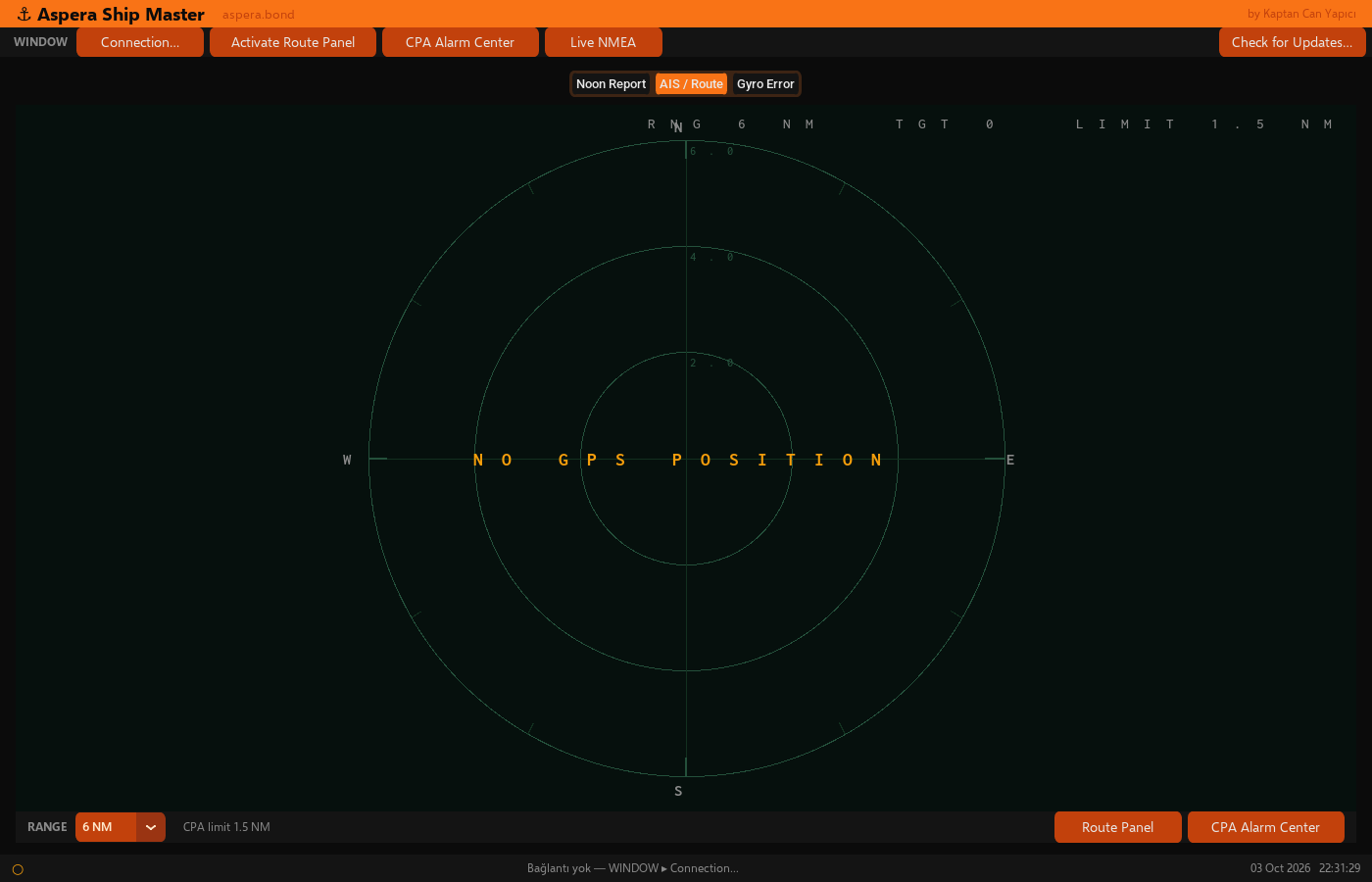
2. AIS traffic desk — how AIS connects, what CPA means
This screen looks like a small radar desk: dark sea, your ship in the centre with a heading line, other ships as triangles with their course, range rings, and your planned route on top when a plan is loaded. Ranges: 1 · 2 · 3 · 6 · 12 NM.
Where AIS comes from: your ship’s AIS equipment (transponder / AIS feed on the bridge network or serial link) — the same kind of feed officers already use. Ship Master listens to that live traffic. It is not a fake simulator of random ships. Targets are the vessels your AIS is actually receiving.
CPA / TCPA: closest point of approach and time to that point, computed continuously from your ship’s motion and each AIS target’s motion. If a target is predicted to pass closer than your limit (default 1.5 NM), it turns red on the picture and appears in the alarm list so you can silence or dismiss it. This is a bridge helper — not a type-approved ARPA substitute.
Maps / coastlines: land and shoreline come from scientific geographic coastline data (world shoreline datasets used for overview displays). Accuracy is in the same practical class as overview charts many officers already recognise — not Admiralty-approved, not for berthing or primary navigation. Think “where is the land relative to me,” not “replace my official chart folio.”
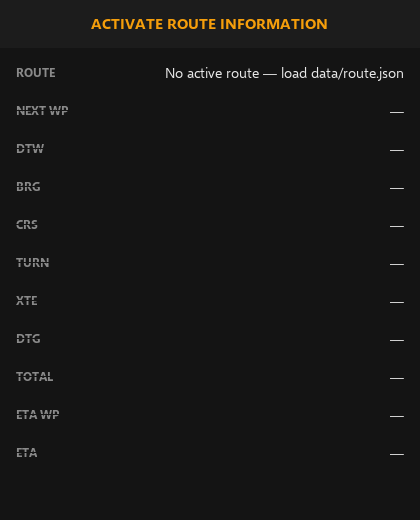
The picture keeps updating while the feed is live. An alarm centre lists dangerous contacts; a route panel shows next waypoint, cross-track, distance to go, and ETA along the loaded plan.
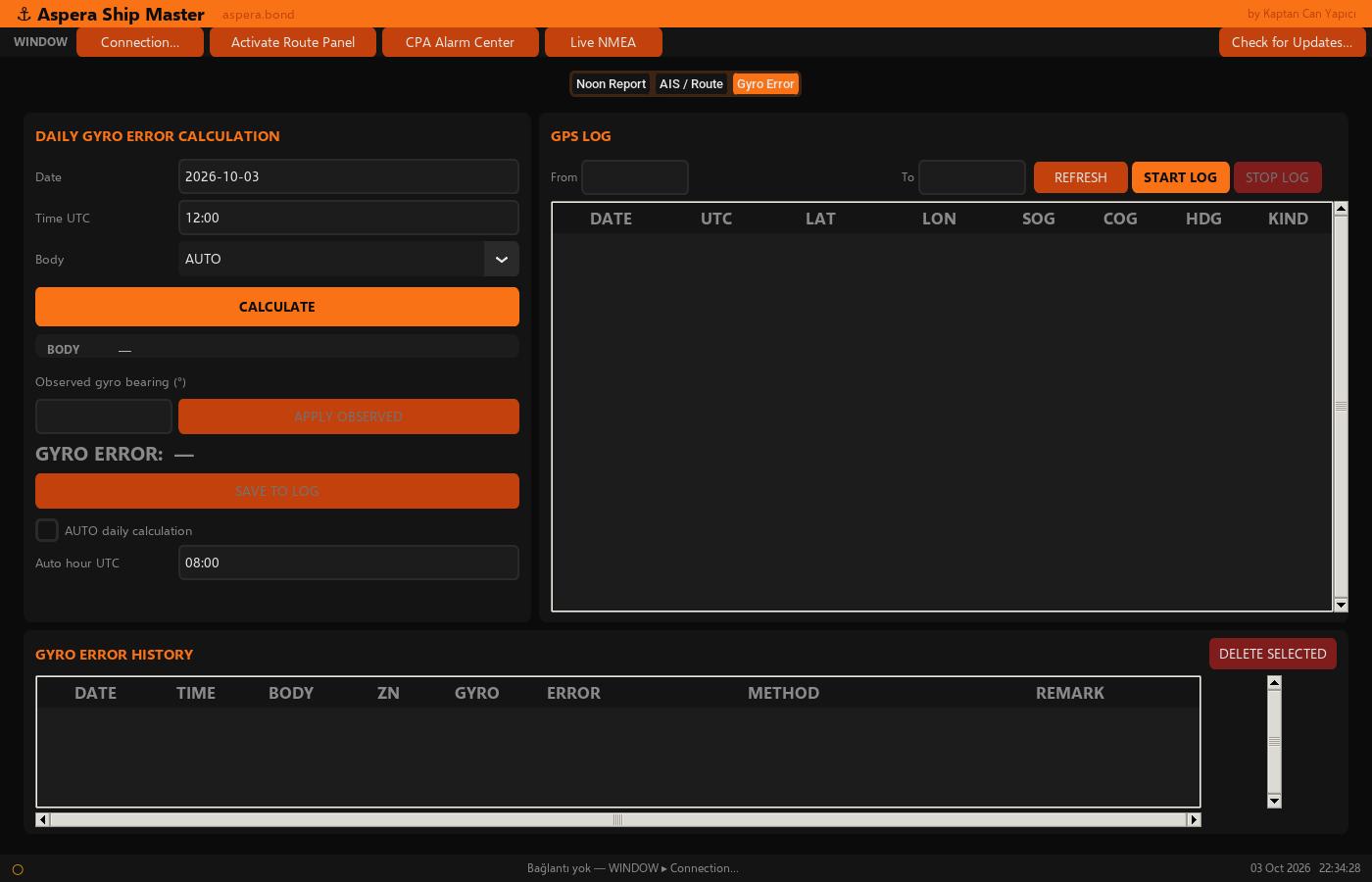
3. Gyro error — how it is calculated
Daily gyro error is the difference between the gyro bearing you observe on a celestial body and the true bearing the program computes for that same time and position (almanac / astronomy math at your GPS fix).
- Pick date and UTC (or let the routine run at a chosen hour).
- Choose sun / moon / planet / star, or let the program suggest the best body.
- It calculates the true azimuth from your logged position.
- You enter the gyro bearing you actually read on the repeater.
- It shows the error (degrees East / West) and saves the day’s entry to the ship’s gyro log.
Optional auto mode can write one calculated entry per day at a UTC hour you set — still based on real position and almanac, not a made-up number.
What you are buying
In plain words
- One licensed copy of Ship Master for one Windows PC.
- Noon report helper, AIS traffic desk with CPA warnings, and gyro error book — together.
- After activation, daily bridge work does not need constant internet.
- Support by email if activation or a PC transfer is needed.
Honest limits
- Needs a working GPS / AIS feed from the ship to auto-fill and show live traffic.
- Coastline display is overview geography — not an official Admiralty chart product.
- CPA alarms help attention; they do not replace radar, lookout, or COLREGS judgement.